
How to Export ChatGPT Conversations: PDF, Word, Markdown and Text
Quick answer: Choose PDF to share or print, Word to edit, Markdown for notes or TXT for plain text. Stashkin exports an open conversation or selected messages. Use ChatGPT’s official data export for an account-wide backup.
Formats compared
| Format | Best for | Guide |
|---|---|---|
| Word (DOCX) | Editing, commenting and sharing with Office or Google Docs users | ChatGPT to Word |
| Printing, archiving and sending a fixed copy | ChatGPT to PDF | |
| Markdown | Obsidian, Notion, GitHub and any text editor | ChatGPT to Markdown |
| Text (TXT) | Plain text with no formatting | |
| Image (PNG) | One tall picture of the conversation | |
| JSON | Scripts and your own tools | |
| Copy as Markdown or text | Pasting straight into another app |
Choose a conversation export or an account backup
Choose what you want to keep
Copy one reply for a short excerpt. Use browser printing for a quick PDF, or Stashkin for an existing conversation with message selection.
Choose the output format
Use PDF for sharing and printing, Word for editing, Markdown for structured notes and TXT for plain text. A generated report is different from a transcript of the conversation.
Use official data export for account backups
For your account history, open ChatGPT Settings, Data controls and Export data, then confirm and follow the emailed download link. Availability depends on your account or workspace.
Check scope before sharing
Stashkin exports the conversation you have open, not every chat in your account. Open the file and compare the selected messages with the original. Use the official account export for a backup, not as a substitute for a formatted single-chat document.
Export a conversation with Stashkin
- 1
Add Stashkin to Chrome
Install it from the Chrome Web Store. No account needed.
- 2
Open a conversation and click the Stashkin icon
Choose the whole chat, replies only or selected messages. You can also export one reply. Check the selected scope before downloading.
- 3
Choose a format
Word, PDF, Markdown, Text, Image or JSON downloads a file named after the conversation.

Download an export sample
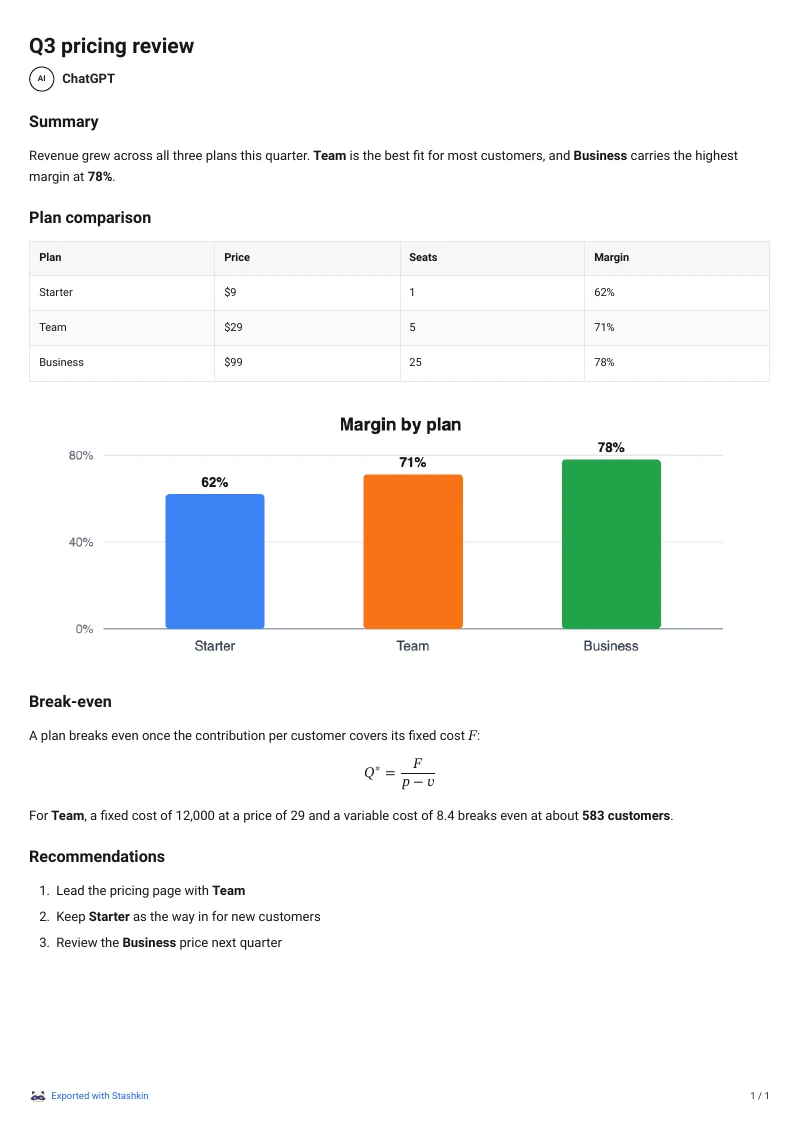
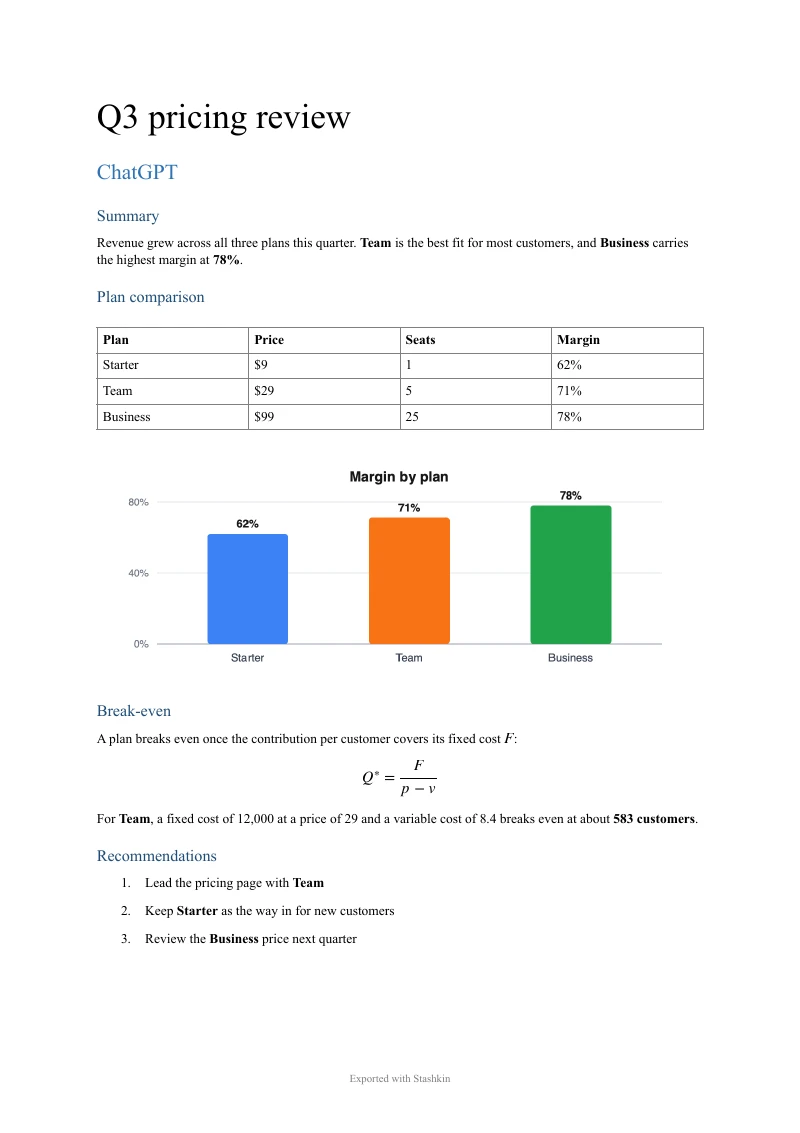
A real ChatGPT reply with a summary, a table, a chart, an equation and a numbered list, exported with Stashkin using “ChatGPT replies only”. Download the files and see the result for yourself.
The same reply as a PDF and a Word file.
What is preserved
Headings, paragraphs, bold and italic text
Bulleted and numbered lists, including nested ones
Block quotes and horizontal rules
Tables, as real tables rather than screenshots
Code blocks, with their language kept
Formulas: editable equations in Word, typeset in PDF, LaTeX in Markdown
Images, embedded in Word, PDF, Markdown and PNG
Links, kept clickable
The title, the date and a link back to the original conversation
Frequently asked questions
Not yet. Stashkin works with ChatGPT today, and support for more assistants, such as Claude and Gemini, is on the way.
Yes. The popup switches between the whole chat and ChatGPT replies only. Select messages… in the popup adds a checkbox to every message on the page so you can export just the ones you tick. A single reply has its own Export button beside it.
Yes. Images ChatGPT generated or you uploaded are embedded in Word, PDF, Markdown and PNG exports. JSON keeps their URLs instead, since it is meant for scripts.
After the conversation title by default. Settings lets you switch to the title and the date, which keeps repeated exports of one conversation apart.
Not for the Free plan. Signing in is only needed to buy Pro, and the account is managed at stashkin.com.
More export guides
Try it on your next chat
Made for students, researchers and professionals who live in ChatGPT.
 Add to Chrome